Skip to content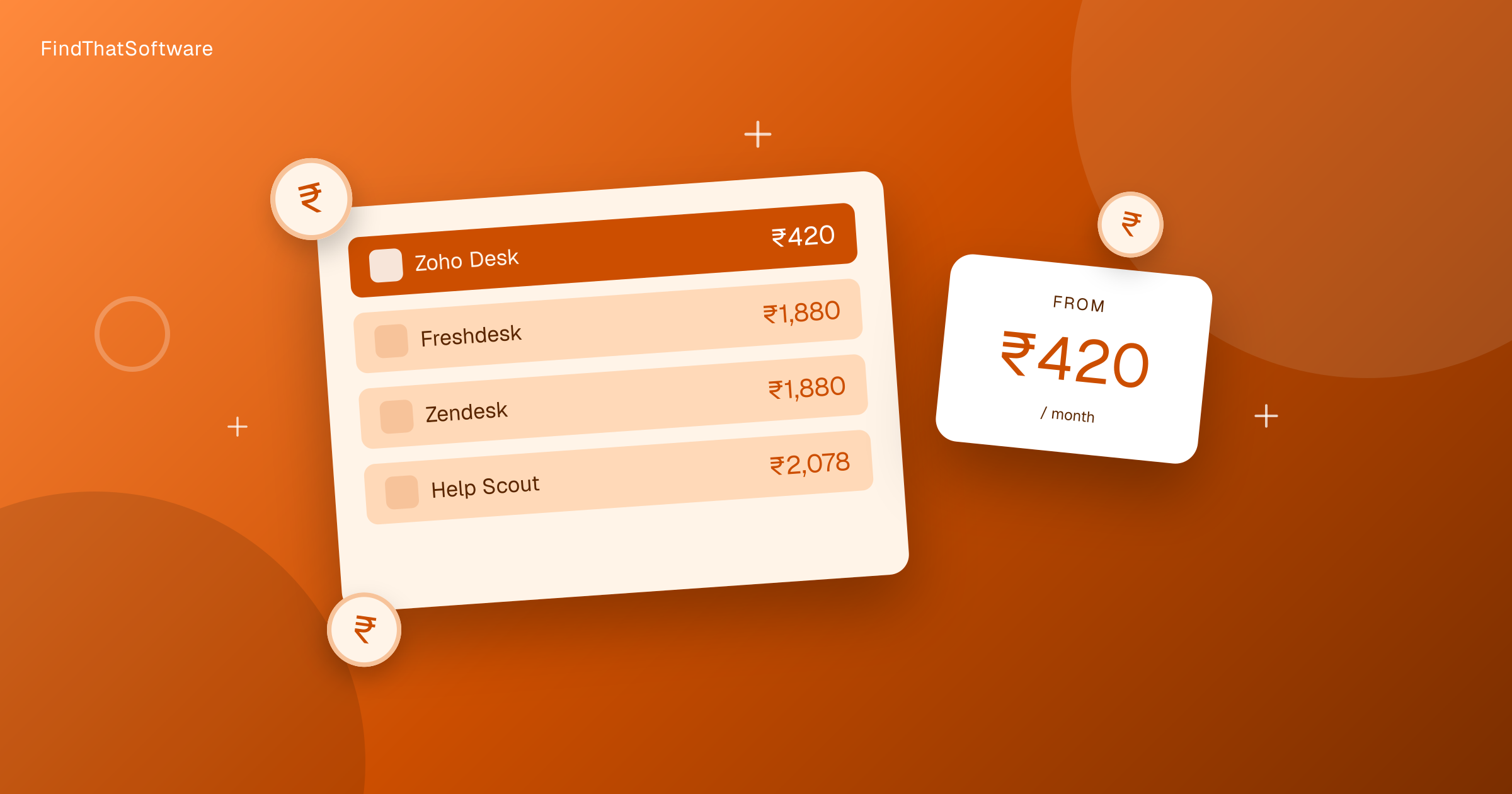

FindThatSoftwareGuides
Back to guidesCustomer SupportSwapnil Singh · Co-founder, FindThatSoftware
Help Desk Software Pricing in India Compared (2026)
A clear, India-first breakdown of what help desk software really costs per agent in 2026, why USD-priced tools carry a forex markup, and which fits your team.
Help desk software in India is priced per agent, per month. So the sticker price is only half the story. Your real bill is the per-agent rate multiplied by the size of your support team. A three-person team pays three times what one seat costs.
At an entry paid tier, an Indian support team spends roughly Rs.420 to Rs.2,489 per agent per month in 2026 for a GST-registered business. The figures below are monthly rupees per agent, with the forex markup on USD pricing applied. GST adds 18% if you cannot reclaim it. That matters because most of these tools bill in dollars, and the conversion quietly inflates what lands on your invoice.
Help desk pricing in India at a glance
Cheapest first, per agent per month, for a registered business (forex-adjusted).
| Tool | Per agent, per month | Notes |
|---|---|---|
| Zoho Desk | Rs.420 | INR-priced, cheapest, no forex markup |
| Freshdesk | Rs.1,892 | USD-priced, forex plus 18% GST inflates it |
| Zendesk | Rs.1,892 | USD-priced, no free plan |
| Help Scout | Rs.2,489 | USD-priced, priciest here, has a free plan |
Want to sort and filter every plan yourself? Use our live help desk pricing page.
Already pay for one of these? Run our software savings audit to add every tool you use and see your whole stack's real India cost, plus where you could switch and save.
Why per-agent pricing compounds
Help desks charge per seat, so the gap widens fast as you hire. A Rs.496 per-agent tool costs about Rs.1,488 a month for a three-agent team. A Rs.2,232 per-agent tool costs about Rs.6,696 a month for the same three agents. That is more than Rs.5,000 a month in difference, or over Rs.60,000 a year, for three seats alone.
Scale that to a ten-agent team and the annual gap runs past Rs.2 lakh. So the per-agent rate is the single number that decides your yearly support software bill. Count your agents before you count features.
One India-specific factor is worth weighing here. WhatsApp is where many Indian customers actually reach out. Multichannel support that covers WhatsApp, email and chat in one inbox is often more valuable to an Indian team than a long feature checklist. Check that the plan you price includes the channels your customers really use, not just email tickets.
The free options
Three of these tools let you start at zero. Zoho Desk, Freshdesk and Help Scout all offer a free tier. That is enough to run real support for a small team before you commit to a paid seat.
Free plans cap agents, channels or automation, so they suit a founder or a two-person team more than a growing desk. But they let you test the workflow with real tickets before you pay. Zendesk is the exception with no free plan, so budget for a paid seat from day one there.
Which fits your budget
If cost is the deciding factor, Zoho Desk wins on price by a wide margin because it bills in rupees and skips the forex markup. For a small or price-sensitive Indian team, it is the obvious starting point, and the free tier lets you try before you buy.
If you need heavier automation, deeper integrations or a specific channel mix, Freshdesk and Zendesk sit in the same higher band, and Help Scout costs a little more again. Just size the decision against your agent count. A Rs.2,000-plus per-agent premium is real money once you have more than a couple of seats.
For the full picture, browse the help desk category or read our deeper guide to help desk software in India. You can also see how we convert and verify every figure in our India software pricing method.
Start from your team size, pick the cheapest tool that covers your channels, and use a free tier to confirm the fit before you pay per seat.
Written by
Swapnil Singh · Co-founder, FindThatSoftware
Swapnil co-founded FindThatSoftware. He focuses on how Indian teams find customers and grow - the CRM, marketing, commerce, and support tools that fit local budgets and workflows - and on keeping the catalog honest and source-backed.
FAQ
Frequently asked questions
- What is the cheapest help desk software in India
- Zoho Desk is the cheapest at about Rs.496 per agent per month, all-in with GST. It is priced in rupees, so it avoids the forex markup that inflates USD-priced tools. It also has a free plan for very small teams.
- Is Zoho Desk cheaper than Freshdesk in India
- Yes, and by a wide margin. Zoho Desk costs about Rs.496 per agent while Freshdesk costs about Rs.2,232 per agent. Zoho Desk bills natively in rupees, whereas Freshdesk is USD-priced, so a forex markup plus 18% GST pushes its rupee cost far higher.
- How does per-agent help desk pricing work
- Help desks charge per seat, so you multiply the per-agent rate by your team size. A Rs.496 per-agent tool costs about Rs.1,488 a month for three agents, while a Rs.2,232 per-agent tool costs about Rs.6,696 for the same three agents. The gap grows as you add seats.
- Are there free help desk options in India
- Yes. Zoho Desk, Freshdesk and Help Scout all offer a free tier that suits a founder or a small team. Zendesk has no free plan, so you pay for a seat from the start. Free plans cap agents and features, so test your workflow before you commit.
The dispatchFree · no noise
Get the next guide in your inbox
A short, occasional email with the India-first software guides and tools we'd recommend to a founder or operator. No noise.
help desksupportpricingindia
More guides in this topic
Related on FindThatSoftware
Take this into a decision
Building software in this space? List it on FindThatSoftware and reach buyers who are comparing tools right now.