Skip to content

FindThatSoftwareGuides
Back to guidesCRMSwapnil Singh · Co-founder, FindThatSoftware
Zoho CRM vs HubSpot for Indian Businesses (2026): Which Wins?
Zoho CRM and HubSpot compared on price, India fit and where each shines, so you pick the right CRM without overpaying in USD.
Zoho CRM versus HubSpot is one of the most common CRM decisions Indian businesses face, and the honest answer is that they are built for different buyers. HubSpot is the polished, marketing-led platform with the smoothest experience. Zoho CRM gives you more depth per rupee and slots into a whole affordable Indian software suite. The tie-breaker for most Indian SMBs comes down to two things: whether you are sales-led or marketing-led, and whether USD billing is a problem.
At a glance
| Zoho CRM | HubSpot | |
|---|---|---|
| Billed in India | INR | USD (add forex + 18% GST) |
| Free plan | Yes | Yes, a genuinely strong free CRM |
| Strongest at | Depth per rupee, fits the Zoho suite | Marketing automation, ease of use |
| Watch for | Setup depth on first configuration | Paid hubs get expensive at scale |
Pricing and India fit
Zoho CRM is India-built and priced in rupees, with a free plan for small teams and paid tiers that stay affordable, and it connects to Zoho Books, Desk and the rest of the suite. HubSpot has an excellent free CRM, but its paid Marketing, Sales and Service hubs are USD-priced, so the real cost for an Indian buyer is the sticker plus a card forex markup plus 18% GST, and it climbs quickly as contacts and seats grow.
Where each one wins
Zoho CRM wins on depth-for-money and on fitting into a wider, affordable Indian stack. If you are sales-led and cost-conscious, it delivers more per rupee. HubSpot wins on ease of use and marketing automation: if inbound marketing, landing pages, email nurture and a frictionless interface are the priority, it is the better tool and the free CRM is a strong place to start.
The verdict
- Best India value, deeper for the money, or already on Zoho: Zoho CRM.
- Marketing-led growth, smoothest UX, and USD pricing is acceptable: HubSpot.
- Just starting and want free: both have real free tiers, so trial each with your own pipeline.
For most Indian SMBs focused on sales, Zoho CRM delivers more per rupee. Reach for HubSpot when marketing automation is the point. Compare the wider field in our best CRM for small business guide, and confirm current per-user rates on each vendor's site.
Written by
Swapnil Singh · Co-founder, FindThatSoftware
Swapnil co-founded FindThatSoftware. He focuses on how Indian teams find customers and grow - the CRM, marketing, commerce, and support tools that fit local budgets and workflows - and on keeping the catalog honest and source-backed.
FAQ
Frequently asked questions
- Is Zoho CRM cheaper than HubSpot in India?
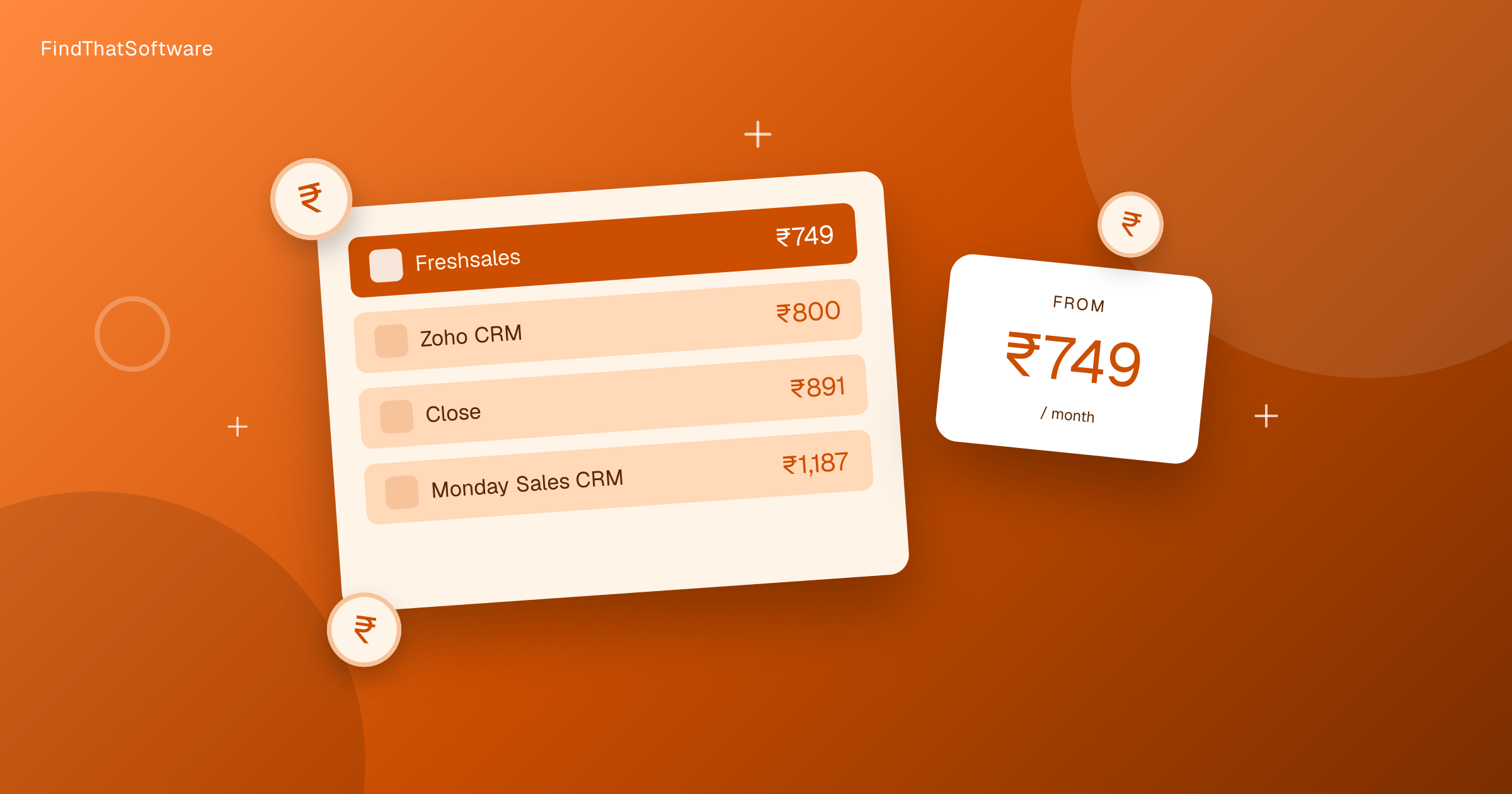
- Generally yes. Zoho CRM is priced in INR with paid tiers from around Rs.800/user/month and a free plan for up to 3 users. HubSpot has a strong free CRM, but its paid hubs are USD-priced and scale up faster, so for equivalent paid functionality Zoho CRM is usually the cheaper option for Indian businesses.
- Which is better for a small Indian business?
- For a sales-focused small business on a budget, Zoho CRM tends to offer more depth per rupee and fits a wider affordable Zoho stack. HubSpot is the better choice if marketing automation (landing pages, nurture emails, inbound) is central to your growth and you can budget for USD pricing.
- Do both have free plans?
- Yes. HubSpot offers a capable free CRM, and Zoho CRM has a free plan for up to 3 users. Both are worth trialling before you commit to a paid tier.
The dispatchFree · no noise
Get the next guide in your inbox
A short, occasional email with the India-first software guides and tools we'd recommend to a founder or operator. No noise.
crmsalesindia
More guides in this topic
Related on FindThatSoftware
Take this into a decision
Building software in this space? List it on FindThatSoftware and reach buyers who are comparing tools right now.