Skip to content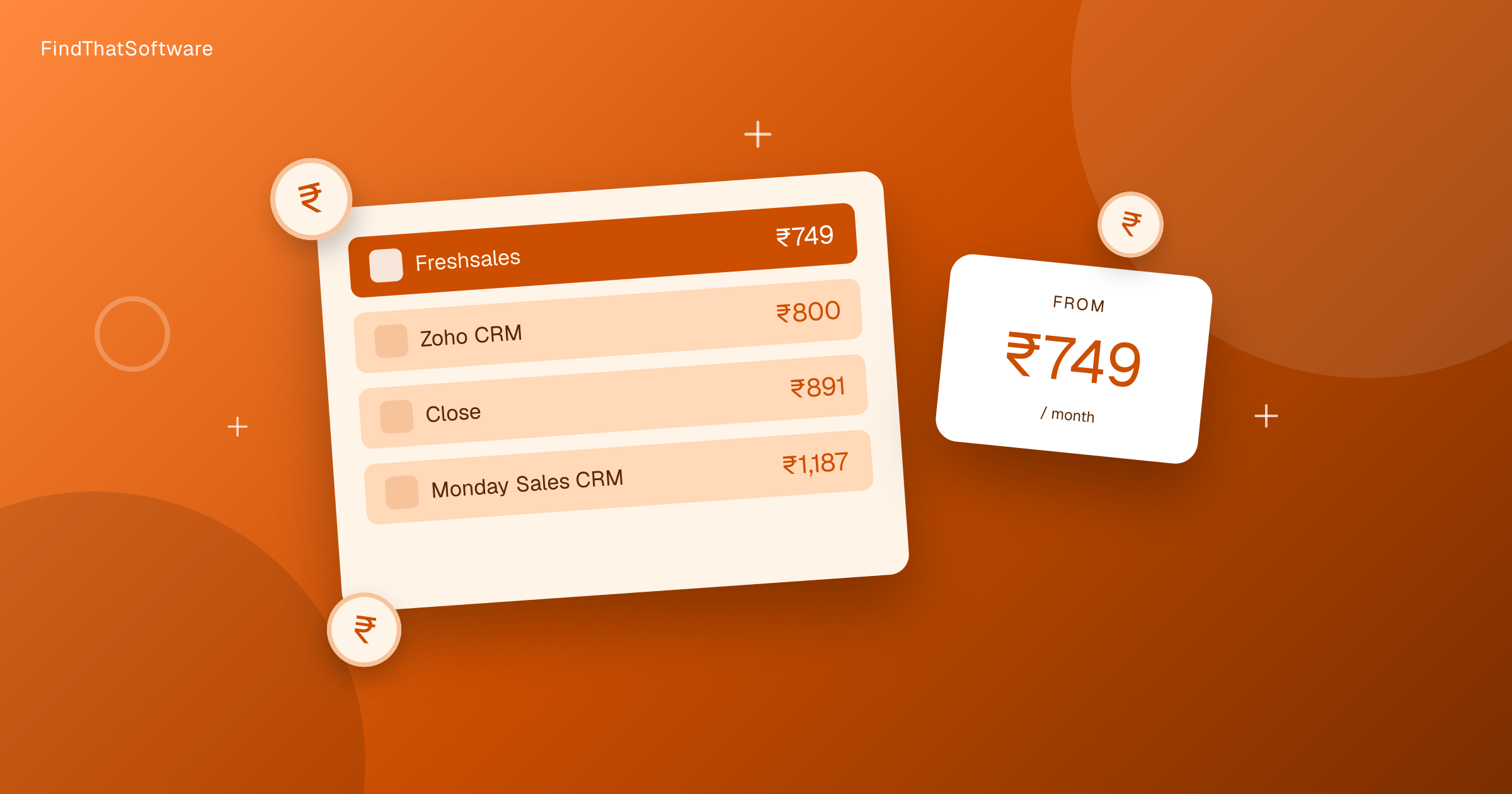

FindThatSoftwareGuides
Back to guidesCRMSwapnil Singh · Co-founder, FindThatSoftware
CRM Pricing in India Compared (2026)
The real monthly cost of the main CRMs for an Indian buyer, in rupees, after the card forex markup, for a registered business. Cheapest paid picks, free plans, and how per-user pricing scales with your team.
"How much does a CRM cost?" has no single answer in India, because most CRMs quote a per-user price in US dollars, and the number that leaves your account is higher than the sticker once the card forex markup is added. This guide gives the real cost in rupees for a GST-registered business, so you can budget on what you actually pay rather than the marketing price. GST adds 18% on top only if you cannot reclaim it.
All figures below are the entry paid plan, per user, converted to a monthly rupee cost using our India pricing method: the card forex markup, which a registered business cannot reclaim. GST adds 18% only if you cannot reclaim it. Rupee-priced tools have no forex markup, which is why they sit at the cheaper end.
CRM pricing in India at a glance
Entry paid plan, per user, per month for a GST-registered business (forex-adjusted). Cheapest first.
| Tool | Entry paid (per user, per month) | Notes |
|---|---|---|
| Bigin by Zoho | Rs.550 | Rupee-priced, free plan, cheapest genuine CRM |
| Zoho CRM | Rs.800 | Rupee-priced, free plan, more automation than Bigin |
| Freshsales | Rs.896 | Free plan, India-built by Freshworks |
| Close | Rs.896 | Built for high-volume outbound calling and email |
| Monday Sales CRM | Rs.1,195 | Free plan, flexible but broader than a pure CRM |
| Pipedrive | Rs.1,394 | Pipeline-first, no free plan |
| Copper | Rs.2,290 | Built around Google Workspace |
| Salesforce | Rs.2,489 | The enterprise standard |
| Insightly | Rs.2,887 | CRM plus light project management |
| HubSpot CRM | Free tier, paid rises | Genuine free tier, paid Starter rises quickly per seat |
Want to sort and filter every plan yourself? Use our live CRM pricing page.
Already pay for one of these? Run our software savings audit to add every tool you use and see your whole stack's real India cost, plus where you could switch and save.
The dollar tax on USD-priced CRMs
Most global CRMs quote in US dollars. An Indian buyer paying by card does not just pay the exchange rate. Banks add a forex markup of around 3.5%, which is not reclaimable, so the effective rupee cost is higher than a simple dollar-times-rate calculation suggests. A CRM that lists at 25 dollars a month is closer to Rs.2,489 for a registered business, not the Rs.2,000 the raw exchange rate implies. GST adds 18% on top only if you cannot reclaim it.
Rupee-priced CRMs like Bigin and Zoho CRM sidestep the forex markup entirely, and they invoice with GST you can claim as input credit. For a cost-conscious Indian small business, that is a real advantage before you even compare features.
The free options
If budget is the constraint, four CRMs let you start at zero: HubSpot CRM, Zoho CRM, Bigin by Zoho and Freshsales all offer free plans. HubSpot's free tier is the most generous on contact limits, while Bigin and Zoho are the easiest to grow into a paid Indian-priced plan later. Free plans cap users, automation or records, so treat them as a way to prove the workflow before you pay.
What you will actually pay by team size
Almost every CRM is priced per user, so the monthly cost scales with your sales headcount. Bigin at about Rs.649 per user is roughly Rs.3,245 a month for a five-person team, while Salesforce at about Rs.2,937 per user is closer to Rs.14,685 for the same five seats. When you compare CRMs, multiply the per-user figure by your real seat count, not just one user, because that is where the gap between a rupee-priced and a dollar-priced CRM compounds.
Which CRM fits your budget
- Tightest budget, small team: Bigin by Zoho at about Rs.649 per user, or its free plan to start.
- Growing Indian SMB that wants room to scale: Zoho CRM, still rupee-priced.
- Free forever to begin: HubSpot CRM, then reassess before the paid Starter jump.
- Pipeline-first sales team: Pipedrive, if the features justify the dollar pricing.
- Enterprise with the budget: Salesforce.
For the full shortlist with trade-offs, see our guide to the best CRM software in India, or browse every option in the CRM category. Prices change and higher tiers cost more, so always confirm current pricing on the vendor's own site before you commit.
Written by
Swapnil Singh · Co-founder, FindThatSoftware
Swapnil co-founded FindThatSoftware. He focuses on how Indian teams find customers and grow - the CRM, marketing, commerce, and support tools that fit local budgets and workflows - and on keeping the catalog honest and source-backed.
FAQ
Frequently asked questions
- What is the cheapest CRM in India
- Among paid plans, Bigin by Zoho is the cheapest genuine CRM at about Rs.649 per user a month all-in. It is priced in rupees, so there is no card forex markup, and it also has a free plan. HubSpot CRM, Zoho CRM and Freshsales offer free tiers if you want to start at zero.
- Why do dollar-priced CRMs cost more than the exchange rate suggests
- When you pay a US-dollar subscription with an Indian card, your bank adds a forex markup of around 3.5% and 18% GST applies on that fee. So a CRM listed at 25 dollars a month works out closer to Rs.2,937 all-in rather than the roughly Rs.2,000 a plain exchange-rate conversion would give.
- Which CRMs are priced in Indian rupees
- Bigin by Zoho and Zoho CRM are priced directly in rupees, which avoids the card forex markup and gives you a GST invoice you can claim as input credit. Most other CRMs such as Salesforce, Pipedrive and HubSpot quote in US dollars.
- How does CRM pricing scale with team size
- Almost all CRMs charge per user, so multiply the per-user price by your number of sales seats. Bigin at about Rs.649 per user is roughly Rs.3,245 for five users, while a dollar-priced CRM at 25 dollars per user is closer to Rs.14,685 for the same five seats.
The dispatchFree · no noise
Get the next guide in your inbox
A short, occasional email with the India-first software guides and tools we'd recommend to a founder or operator. No noise.
crmpricingindia
More guides in this topic
Related on FindThatSoftware
Take this into a decision
Building software in this space? List it on FindThatSoftware and reach buyers who are comparing tools right now.