Skip to content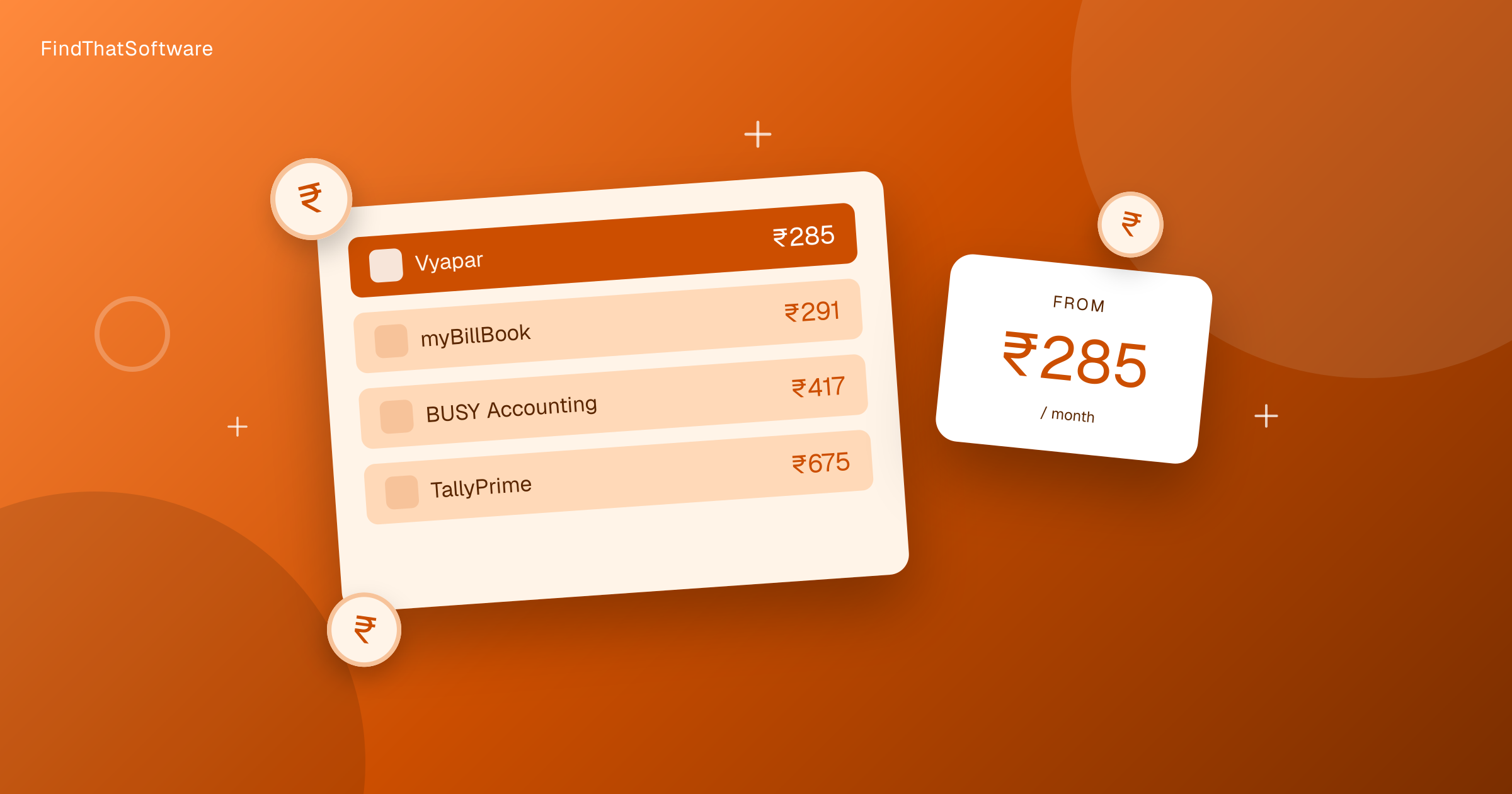

FindThatSoftwareGuides
Back to guidesFinance & AccountingArjit Jindal · Co-founder, FindThatSoftware
Accounting Software Pricing in India Compared (2026)
Real monthly prices for the accounting software Indian businesses actually use in 2026, from near-free shopkeeper apps to full GST and inventory suites, with the GST value that matters more than the sticker price.
Most Indian businesses do not need expensive accounting software. They need software that files GST cleanly, prints a proper tax invoice, and does not break when the CA asks for a report in March. The good news is that GST accounting software in India is cheap by global standards. Almost every tool here is priced in rupees, so you avoid the forex markup and surprise dollar billing that hits so many SaaS purchases.
We track the real monthly cost for a registered business, not the marketing number. That means we take the annual plan, convert any dollar pricing at the current rate with the card forex markup, and divide by twelve. GST adds 18% if you cannot reclaim it, but a registered business claims it back as input credit. You can read our India software pricing method if you want the full working. Here is what accounting software really costs in 2026.
Accounting software pricing in India at a glance
Standard entry pricing, cheapest first. Indicative and subject to change, confirm on each vendor's site.
| Tool | Approx India price | Notes |
|---|---|---|
| myBillBook | Rs.291/mo | Phone-first billing for shopkeepers |
| Vyapar | Rs.283/mo | Free plan, paid adds GST reports and desktop sync |
| Marg ERP 9+ | Rs.5,550 one-time | Strong in pharma and distribution |
| Refrens | Rs.688/mo | Invoicing-first with a free plan, for freelancers and agencies |
| Zoho Books | Rs.749/mo | Clean cloud ledger, free plan, files GST |
| TallyPrime | Rs.750/mo | The CA default, deep GST and statutory support |
| Clear (ClearTax) | Usage-based, from Rs.499 | Built around GST filing and reconciliation |
| BUSY Accounting | Rs.11,000/yr | Inventory-heavy, multi-branch operations |
Want to sort and filter every plan yourself? Use our live accounting pricing page.
Already pay for one of these? Run our software savings audit to add every tool you use and see your whole stack's real India cost, plus where you could switch and save.
Why GST value beats the sticker price
The monthly figure is the least interesting number in this list. What matters is that these tools are built for Indian tax reality. Because almost all of them are billed in rupees, the software fee itself carries 18 percent GST that you can usually claim back as input tax credit. So the real cost to a registered business is lower than the number on the invoice.
More important is what the software does for your own GST. A good tool prints a compliant tax invoice, tracks input credit, generates GSTR-1 and GSTR-3B in the right format, and handles e-invoicing and e-way bills once you cross the turnover threshold. Get this wrong and you pay for it in penalties and CA hours, which dwarf any subscription. That is the real reason to compare tools in the finance and accounting category on compliance depth first and price second. Our deeper look at GST accounting software in India walks through exactly which returns each tool covers.
The free options
Six of the eight tools here offer a genuine free plan, not just a trial. myBillBook, Vyapar, Refrens, Zoho Books, Clear, and BUSY all let you start without paying. The free tiers are real but limited. They usually cap the number of invoices, users, or companies, and often hold back GST return filing or e-invoicing behind the paid plan. For a business that issues a handful of invoices a month, a free plan can genuinely be enough. Once you need proper returns, multiple users, or inventory, you will hit the paywall fast.
Which fits your budget
For a tiny business or a single shopkeeper, myBillBook at roughly Rs.39 or Vyapar at Rs.334 do the job. You get GST invoices and basic reports without committing real money.
For a growing SMB that wants proper books, TallyPrime at about Rs.885 or Zoho Books at Rs.884 are the safe picks. Tally wins if your CA already lives in it. Zoho Books wins if you want the cloud and integrations.
For inventory heavy operations with warehouses, batches, or manufacturing, BUSY at Rs.12,980 earns its price through depth that the cheaper tools simply do not have.
For businesses where GST filing itself is the main pain, Clear at about Rs.1,533 is built around reconciliation and returns rather than daily bookkeeping.
The honest close is this. Price is rarely the deciding factor for Indian accounting software, because the whole market is affordable. Pick on compliance fit, how well it matches your CA, and whether it handles the returns you actually file. The Rs.39 tool and the Rs.12,980 tool both exist for good reasons. Yours is somewhere on that line.
Written by
Arjit Jindal · Co-founder, FindThatSoftware
Arjit co-founded FindThatSoftware, an India-first software-decision platform. He writes about how Indian businesses actually choose, price, and stack the software they run on - with the forex, GST, and support trade-offs global directories leave out.
FAQ
Frequently asked questions
- What is the cheapest GST accounting software in India
- myBillBook is the cheapest at around Rs.39 per month, and it starts free. Vyapar is next at about Rs.334 per month and also has a free plan. Both handle GST invoices and suit small shops and traders well.
- Is Tally or Zoho Books cheaper in India
- They cost almost the same. TallyPrime is about Rs.885 per month and Zoho Books is about Rs.884 per month all in. Tally runs on your own machine and most CAs know it. Zoho Books is cloud based and has a free plan for the smallest businesses.
- Do these tools support GST returns and e-invoicing
- Yes. The main tools generate GSTR-1 and GSTR-3B and support e-invoicing and e-way bills. Exact coverage varies by tool and plan, and some free tiers hold GST filing back behind a paid upgrade, so check the plan before you buy.
- Are there free accounting software options in India
- Yes. myBillBook, Vyapar, Refrens, Zoho Books, Clear, and BUSY all offer real free plans rather than just trials. The free tiers cap invoices, users, or GST filing, so they fit very small businesses and you upgrade as you grow.
The dispatchFree · no noise
Get the next guide in your inbox
A short, occasional email with the India-first software guides and tools we'd recommend to a founder or operator. No noise.
accountinggstpricingindia
More guides in this topic
Finance & Accounting
I checked 120 foreign software tools for a GST invoice. Eight had one.
I went into our pricing database expecting a boring answer. We track the plan-by-plan cost of a large...
Read the guide →
Finance & Accounting
Free Billing & Invoicing Software in India (2026): What's Actually Free
Several billing apps in India are genuinely free - but 'free' has fine print. Here's what Vyapar, Zoho Books and myBillBook actually give you for nothing, what's locked behind paid plans, and when you'll need to upgrade.
Read the guide →
Finance & Accounting
E-Invoicing in India 2026: Who Needs It and How to Comply
A plain-English guide to GST e-invoicing in India: the Rs.5 crore turnover threshold, what an IRN and IRP actually are, the 2026 rules (30-day reporting, mandatory MFA), and how your billing software handles it automatically.
Read the guide →
Related on FindThatSoftware
Take this into a decision
Building software in this space? List it on FindThatSoftware and reach buyers who are comparing tools right now.