Skip to content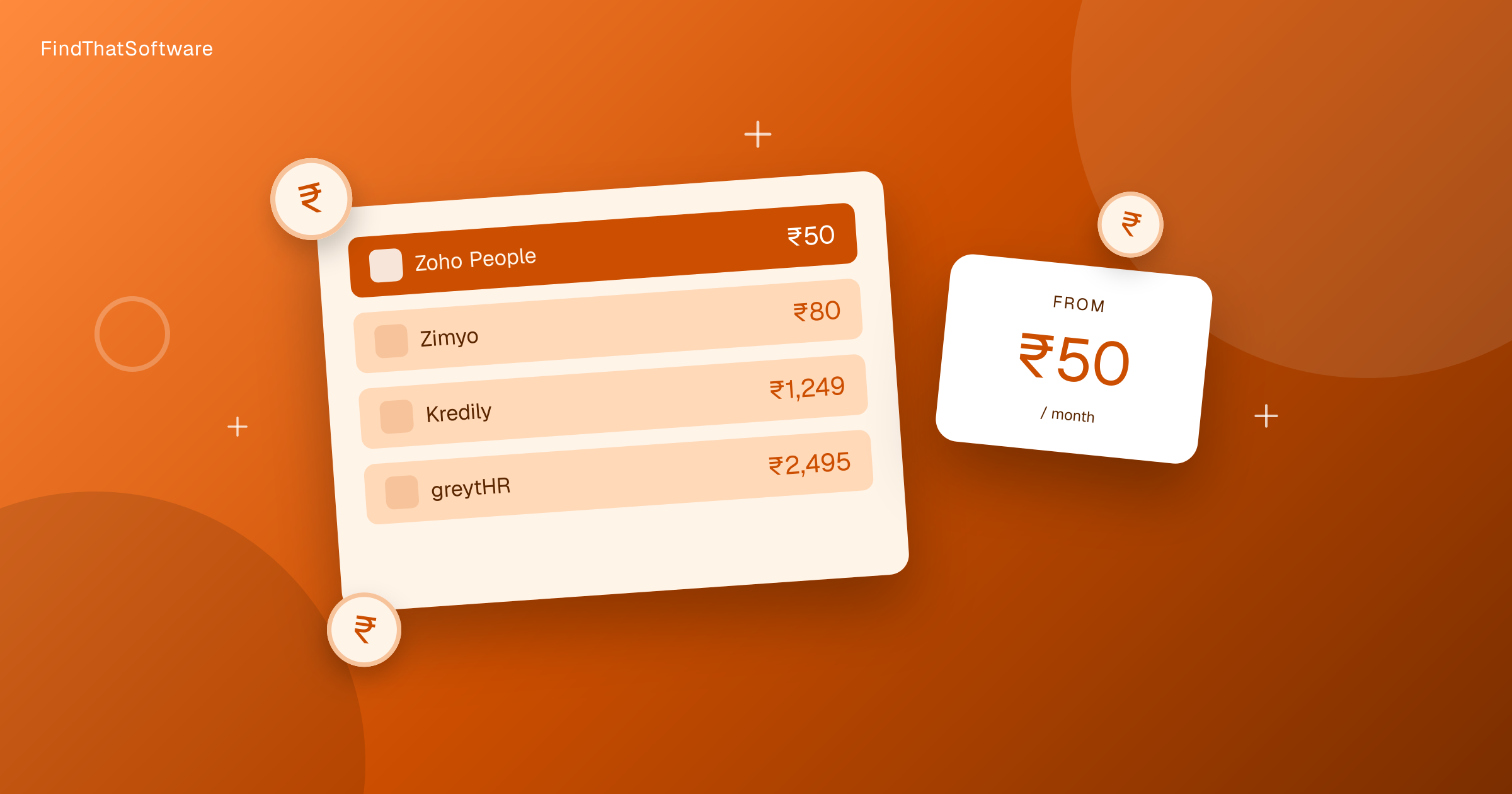

FindThatSoftwareGuides
Back to guidesHR & PayrollArjit Jindal · Co-founder, FindThatSoftware
HR and Payroll Pricing in India Compared (2026)
Real 2026 pricing for HR and payroll software in India, from free plans to per-employee rates. Learn why the cheapest tool flips with your headcount.
HR and payroll software in India starts as low as Rs.59 per employee a month and runs to a few thousand rupees for a flat plan. But the sticker price is misleading. Most HR tools charge per employee, so the monthly bill grows with your team. A flat-rate tool that looks expensive at 5 staff can be the cheapest option at 50. The cheapest tool for you depends entirely on your headcount.
This guide uses real 2026 entry prices in rupees for a registered business, with any forex markup applied. GST adds 18% if you cannot reclaim it, but most of these tools are INR-priced. Most of these tools are priced in INR, so what you see is close to what you pay. For the wider picture see our guide to HR and payroll software in India.
HR and payroll pricing in India at a glance
Cheapest first. Per-employee and flat plans do not compare directly, read the note.
| Tool | Entry price | Notes |
|---|---|---|
| Zimyo | ~Rs.59/employee/mo | Per employee, scales with team |
| Zoho People | ~Rs.59/employee/mo | Per employee, free plan for small teams |
| Keka | ~Rs.118/employee/mo | Per employee, popular mid-market pick |
| Kredily | ~Rs.1,179/mo | Flat pricing, free plan |
| greytHR | ~Rs.2,944/mo | Flat entry tier |
| RazorpayX Payroll | ~Rs.2,949/mo | Flat, payroll-first |
| factoHR | ~Rs.5,899/mo | Flat entry tier, free plan |
Want to sort and filter every plan yourself? Use our live HR and payroll pricing page.
Already pay for one of these? Run our software savings audit to add every tool you use and see your whole stack's real India cost, plus where you could switch and save.
Why payroll compliance is the real reason to buy
Price is not the point. Running payroll by hand in India means calculating Provident Fund, Employee State Insurance and TDS every month, generating payslips, and filing on time. Get it wrong and you face penalties.
Every tool above handles PF, ESI and TDS deductions, produces compliant payslips, and helps with filings. That is the work you are actually paying to remove. A free spreadsheet costs nothing until a missed ESI filing costs you a penalty. If compliance is new to you, read our payroll compliance guide before you shortlist anything.
How per-employee pricing scales
This is where buyers get surprised. A Rs.59 per-employee tool sounds almost free. Do the math at your real size.
- 10 staff at Rs.59 is about Rs.590 a month.
- 50 staff at Rs.59 is about Rs.2,950 a month.
- 100 staff at Rs.59 is about Rs.5,900 a month.
Now compare that to a flat tool like greytHR at Rs.2,944 a month. At 10 people the per-employee tool wins easily. At 50 people they are neck and neck. Past that, the flat tool can pull ahead, though most flat plans cap the number of employees and charge more above the cap. Always price at your actual headcount, not the starting rate. For how we build these numbers, see our India software pricing method.
The free options
Three tools here have genuine free plans. Zoho People offers a free tier for very small teams and is a strong start if you already use Zoho. Kredily has a free plan and is built for Indian payroll and compliance. factoHR also offers a free plan at the entry level.
Free plans usually limit employee count, feature depth, or support. They are ideal for a founder running payroll for a handful of people who wants compliance handled without a monthly bill. Outgrow the limits and you move to a paid tier, so treat free as a starting point, not a permanent home.
Which fits your budget
Under 15 staff and watching every rupee, start with a free plan from Zoho People, Kredily or factoHR. A small growing team that wants room to scale should look at Zimyo or Zoho People on a per-employee plan, or Keka if you want a more complete mid-market suite. If you have 40 or more staff and want predictable billing, a flat plan like greytHR or RazorpayX Payroll can work out cheaper and simpler than paying per head.
The honest answer is that no single tool is cheapest for everyone. Price all your real candidates at your current headcount, add the one or two hires you expect this year, and compare the true monthly bill.
The bottom line
HR and payroll software in India is affordable at every size, from free plans to a few thousand rupees a month. The trap is comparing starting prices instead of real bills. Work out your headcount, decide whether per-employee or flat pricing suits you, and confirm the tool handles PF, ESI and TDS for your state. Browse the full HR category to compare options side by side.
Written by
Arjit Jindal · Co-founder, FindThatSoftware
Arjit co-founded FindThatSoftware, an India-first software-decision platform. He writes about how Indian businesses actually choose, price, and stack the software they run on - with the forex, GST, and support trade-offs global directories leave out.
FAQ
Frequently asked questions
- What is the cheapest HR and payroll software in India
- For very small teams the cheapest option is a free plan from Zoho People, Kredily or factoHR. Among paid tools, per-employee plans start around Rs.59 per employee a month with Zimyo and Zoho People. The true cheapest choice depends on your headcount, because per-employee costs rise with team size while flat plans stay fixed.
- Should I choose per-employee or flat pricing
- It depends on your team size. Per-employee tools like Zimyo, Zoho People and Keka are cheapest for small teams, since a Rs.59 per-employee tool is about Rs.590 for 10 staff. Flat plans like greytHR and RazorpayX Payroll can be cheaper once you pass roughly 40 to 50 employees. Always price both at your real headcount before deciding.
- Do these tools handle PF, ESI and TDS
- Yes. Every tool covered here handles Provident Fund, Employee State Insurance and TDS deductions, generates compliant payslips, and helps with monthly filings. That compliance work is the main reason to buy payroll software rather than running numbers in a spreadsheet, where a missed filing can lead to penalties.
- Are there free HR and payroll options in India
- Yes. Zoho People, Kredily and factoHR all offer free plans. These usually limit employee count, feature depth or support, so they suit founders and very small teams. As you grow past the free limits you move to a paid tier, so treat a free plan as a starting point rather than a permanent solution.
The dispatchFree · no noise
Get the next guide in your inbox
A short, occasional email with the India-first software guides and tools we'd recommend to a founder or operator. No noise.
hrpayrollpricingindia
More guides in this topic
Related on FindThatSoftware
Take this into a decision
Building software in this space? List it on FindThatSoftware and reach buyers who are comparing tools right now.