Skip to content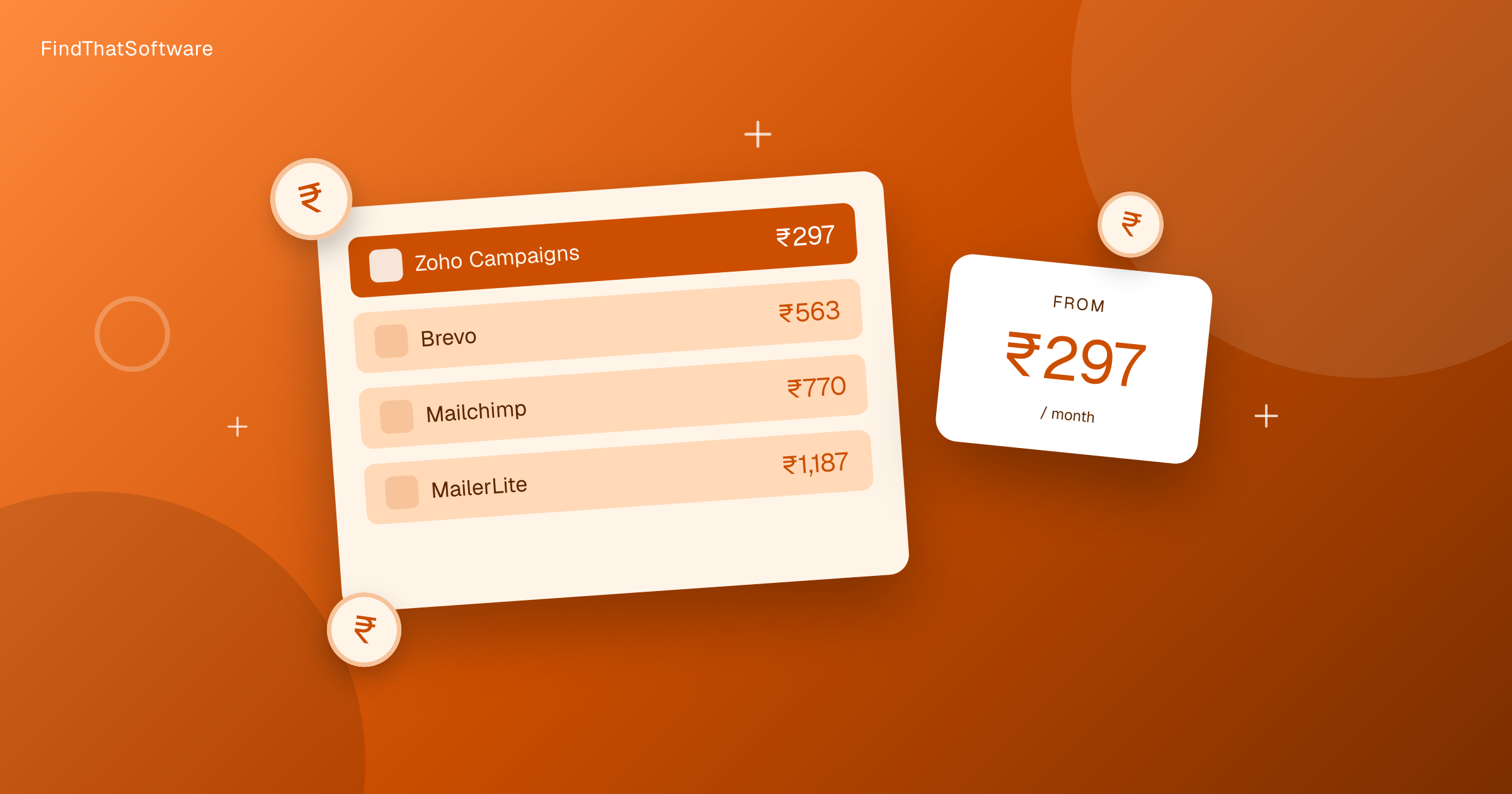

FindThatSoftwareGuides
Back to guidesMarketingSwapnil Singh · Co-founder, FindThatSoftware
Email Marketing Pricing in India Compared (2026)
What email marketing software really costs an Indian buyer in 2026, once the card forex markup is added, for a registered business. Real rupee figures, cheapest first.
The price a tool shows on its site is rarely the price you pay in India. Most email marketing tools bill in US dollars, so your card adds a forex markup of roughly 3.5 percent, which is not reclaimable. (18 percent GST also applies, but a registered business claims it back.) A plan that looks like a neat round number in dollars turns into an odd rupee figure on your statement. This post cuts through that. Every number below is the monthly cost in rupees for a registered business, forex markup applied and GST reclaimed, so you can compare like for like.
We track these figures the same way across every category. If you want the full breakdown of how we convert and verify prices, see our India software pricing method.
Email marketing pricing in India at a glance
Cheapest first, per month, for a registered business (forex-adjusted).
| Tool | Approx price per month | Notes |
|---|---|---|
| Zoho Campaigns | Rs.298 | Cheapest here, India-built |
| Mailchimp | Rs.770 | Rupee-priced, no forex surprise |
| MailerLite | Rs.1,195 | Clean editor, generous free tier, USD-billed |
| ActiveCampaign | Rs.1,493 | Strong automation, USD-billed |
| Kit (ConvertKit) | Rs.3,285 | Creator and newsletter focus, USD-billed |
| Mailmodo | Rs.3,882 | Interactive AMP emails, priciest starter here |
Want to sort and filter every plan yourself? Use our live email marketing pricing page.
Already pay for one of these? Run our software savings audit to add every tool you use and see your whole stack's real India cost, plus where you could switch and save.
The dollar versus rupee reality
Two tools on this list quietly save Indian buyers money. Zoho Campaigns and Mailchimp both bill in a way that suits rupee payers. Zoho is an Indian company, and Mailchimp prices its plans in INR directly, so what you see is close to what you pay. No forex markup stacks on the sticker.
Everything else here is priced in US dollars. That means your bank adds a forex markup of about 3.5 percent to every charge, which is not reclaimable. 18 percent GST applies too, but a registered business claims it back. So a plan advertised as a tidy dollar figure arrives as an inflated, uneven rupee amount. It is not a huge gap on a single month, but across a year it adds up, and it explains why the dollar-billed tools sit higher on this list than their headline pricing suggests.
The free options
You do not have to pay on day one. Zoho Campaigns, Mailchimp, MailerLite, and Kit all offer free plans. These are genuinely useful for a small list and early sends, so a new business can validate its email channel before spending anything.
The catch is almost always the subscriber cap. Free plans limit how many contacts you can store, and sometimes how many emails you can send per month. Once your list grows past the cap, you move to a paid tier, and that is when the rupee figures above start to matter.
Which fits your budget
If you want the lowest paid cost in India, Zoho Campaigns at around Rs.352 is the clear answer, and its local billing removes the forex sting entirely. If you would rather stay free while your list is small, start with Zoho Campaigns, Mailchimp, or MailerLite and upgrade only when you hit the cap.
Spend more only when a specific need justifies it. ActiveCampaign earns its price with deeper automation, Kit fits creators and newsletter publishers, and Mailmodo makes sense if interactive AMP emails are central to your strategy. For a full feature-by-feature comparison, read our guide to the best email marketing tools in India or browse the whole email marketing category.
The honest takeaway is that email marketing stays affordable in India if you start free and pick a tool that bills in rupees. Watch the forex markup and GST on dollar-priced tools, match the plan to the size of your list, and you will not overpay for a channel that should be one of the cheapest you run.
Written by
Swapnil Singh · Co-founder, FindThatSoftware
Swapnil co-founded FindThatSoftware. He focuses on how Indian teams find customers and grow - the CRM, marketing, commerce, and support tools that fit local budgets and workflows - and on keeping the catalog honest and source-backed.
FAQ
Frequently asked questions
- What is the cheapest email marketing tool in India
- Zoho Campaigns is the cheapest paid option at around Rs.352 per month, all-in with forex markup and GST included. It also has a free plan, so a small list can start without paying anything.
- Why do US-priced email marketing tools cost more in India
- Tools that bill in US dollars trigger a forex markup of about 3.5 percent on your card, and 18 percent GST is added on top. That combination inflates the rupee amount well above the headline dollar price you see on the tool's site.
- Which email marketing tools are rupee friendly for Indian buyers
- Zoho Campaigns and Mailchimp are the most rupee friendly. Zoho is an Indian company, and Mailchimp prices its plans directly in INR, so neither stacks a forex markup on the amount you pay.
- Do email marketing tools offer free plans in India
- Yes. Zoho Campaigns, Mailchimp, MailerLite, and Kit all offer free plans. They work well for small lists, but they usually cap the number of subscribers you can store before you must move to a paid tier.
The dispatchFree · no noise
Get the next guide in your inbox
A short, occasional email with the India-first software guides and tools we'd recommend to a founder or operator. No noise.
email marketingpricingindia
More guides in this topic
Marketing
How to Send WhatsApp Marketing Messages Legally in India (2026)
WhatsApp marketing works in India - but the rules tightened in 2026. The opt-in, business verification, template approval and quality-rating rules you must follow to send bulk WhatsApp without getting throttled or banned.
Read the guide →
Marketing
WhatsApp Business API Pricing in India 2026: New Per-Message Rates + AiSensy vs Wati vs Interakt vs Gallabox
WhatsApp Business API pricing in India: Meta bills per message, not per conversation, and from 1 October 2026 it charges service replies too. Here are the INR rates, how the platform fee differs from Meta's charges, and how AiSensy, Wati, Interakt and Gallabox compare.
Read the guide →
Marketing
Best Social Media Scheduling Tools in India (2026)
Buffer, Hootsuite, Later, SocialPilot and Zoho Social compared on price and fit, so Indian businesses and agencies can schedule across channels affordably.
Read the guide →
Related on FindThatSoftware
Take this into a decision
- Best email marketing software →
- WhatsApp Business API for SMBs →
- Email marketing tools →
- See your all-in India cost (forex + GST) →
Building software in this space? List it on FindThatSoftware and reach buyers who are comparing tools right now.